Smart Booking
Customers book appointments through text conversations. AI checks your schedule and confirms automatically.
- →Customers say 'I need help' — AI proposes times based on your real schedule
- →Confirms appointments with day, date, time, and address — no ambiguity
- →Handles rescheduling and cancellations by text
- →Prevents double-booking — real-time schedule checks
- →Sends appointment reminders 48h and 24h before
- →Works for emergency and routine service calls
GreenScape Landscaping
Text line · online
Can you come out to quote a patio next week?
6:15 PM
Absolutely! We have Tuesday or Thursday open next week — does one of those work, and what's the best time?
6:15 PM · Auto
Thursday at 10am works
6:16 PM
You're booked for Thursday at 10 AM 📅 I'll text you the address confirmation now. Looking forward to it!
6:16 PM · Auto
How AI booking works
01
The customer asks for a time
'Can you come out Thursday?' or 'What's open next week?' — the AI spots the booking intent instantly.
02
It checks your real availability
Prybar reads your business hours, existing jobs, and tech schedules to propose times that actually work.
03
It confirms and follows up
The appointment is booked, the customer gets a confirmation, and an 'on the way' text with a live GPS link goes out before the visit.
04
Changes are handled too
Reschedules, cancellations, and 'actually Friday not Thursday' are all managed in the thread — no phone tag.
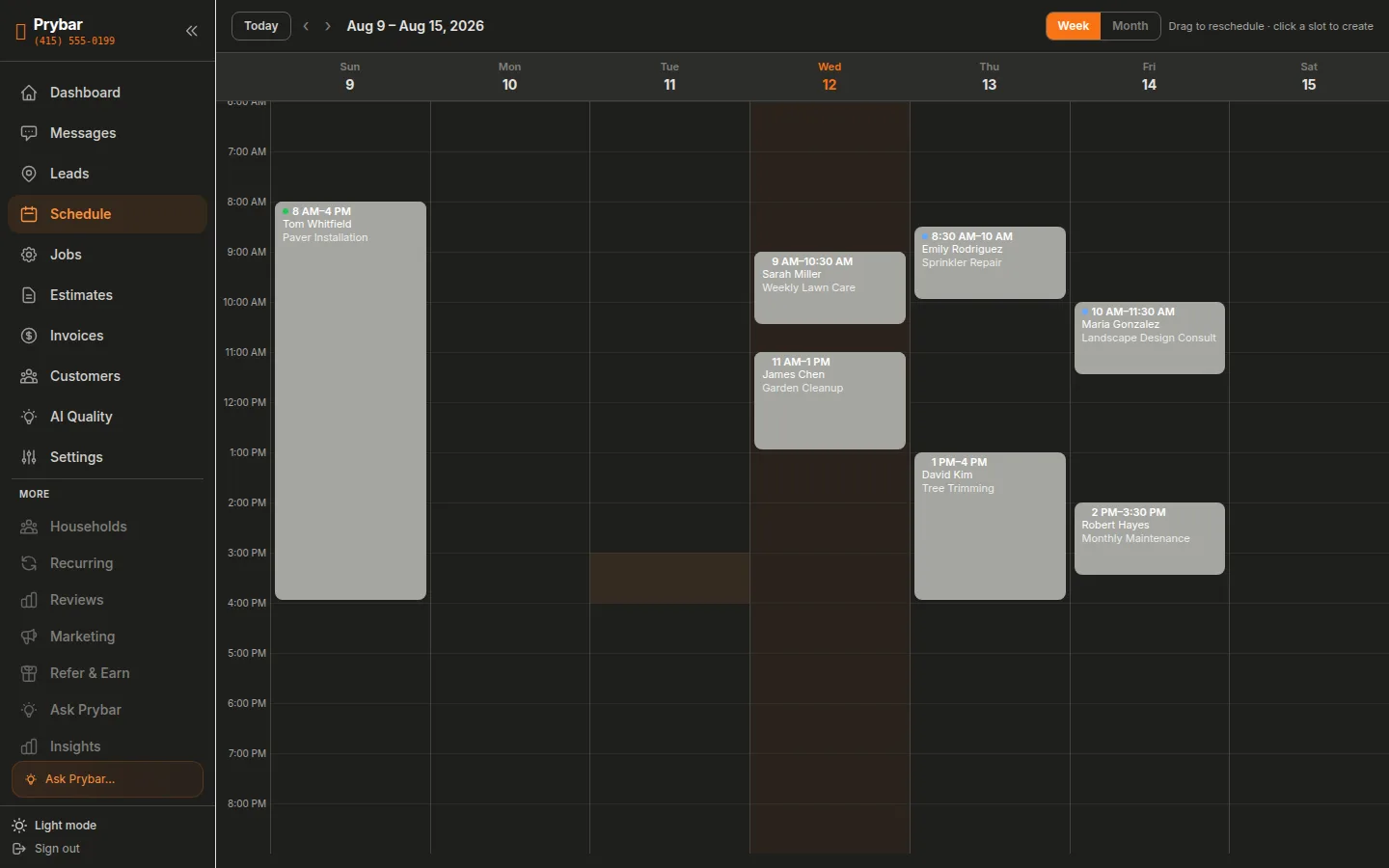
See it in the dashboard
Jobs booked by text land straight on your calendar. No double-booking, no phone tag.
Frequently Asked Questions
Does it double-book jobs?+
No — it checks live availability before proposing times, and once a slot is taken it's gone. No double-bookings.
Can I approve bookings first?+
Yes. If you prefer, every booking can be held for your one-tap approval instead of confirmed instantly.
What about after-hours requests?+
Those are exactly what Prybar is for — a 10 PM 'can you come tomorrow?' gets answered and booked before you wake up.